27 kg
of load on your neck at a 60° phone-glance
Hansraj 2014 — a modelled estimate, not a direct measurement.
Posture, gently · for iPhone
Plumb is a calm posture companion for your desk and your AirPods. It quietly notices when you drift forward and nudges you back — gently, privately, all on your device.
A day with Plumb
The quiet problem
A 60° glance is fine. A “pretty-good” angle held for forty minutes is a load history your tissues remember. Plumb is built around one honest idea: duration matters more than the perfect angle.
of load on your neck at a 60° phone-glance
Hansraj 2014 — a modelled estimate, not a direct measurement.
of standing disc pressure when you slump forward
Nachemson; replicated by Wilke 1999. Upright sitting alone is ~140%.
before held tissue begins to creep and lose stiffness
Solomonow — recovery then takes hours, not minutes.
Plumb doesn’t measure pressure — no app can. It watches the postures that add it, and gives you a gentle prompt before duration adds up.
Two ways to sit well
Both modes measure the same thing — how far your head has eased from the neutral you set. Pick whichever fits the moment.
Your AirPods report head attitude about 25 times a second. Pocket the phone, lock it, switch apps. Plumb keeps tracking and cues you with a soft tone the moment you drift past your threshold.
Prop the phone in front of you. The TrueDepth camera reads your head and neck in real depth — never a saved photo or video — and a living figure mirrors how you’re sitting right now.
The living figure
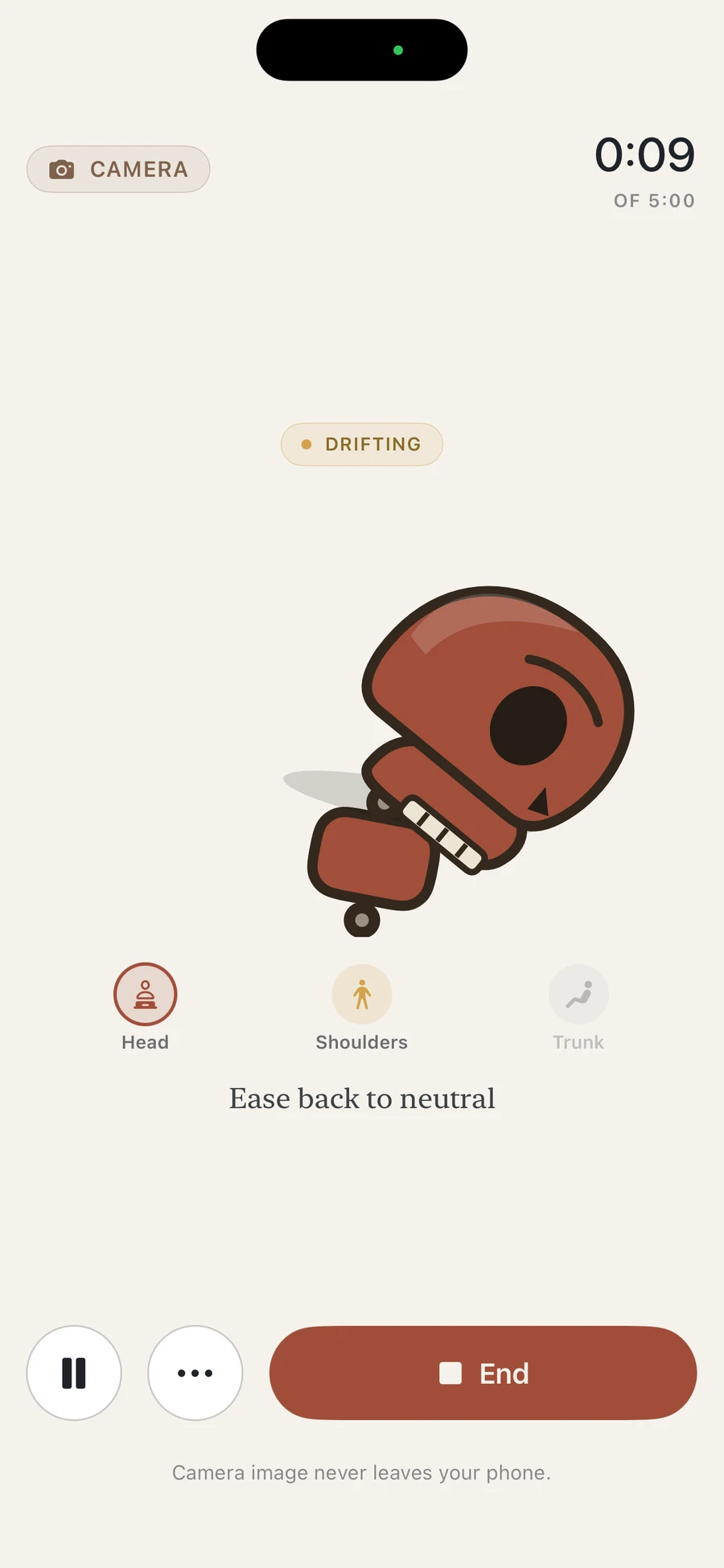
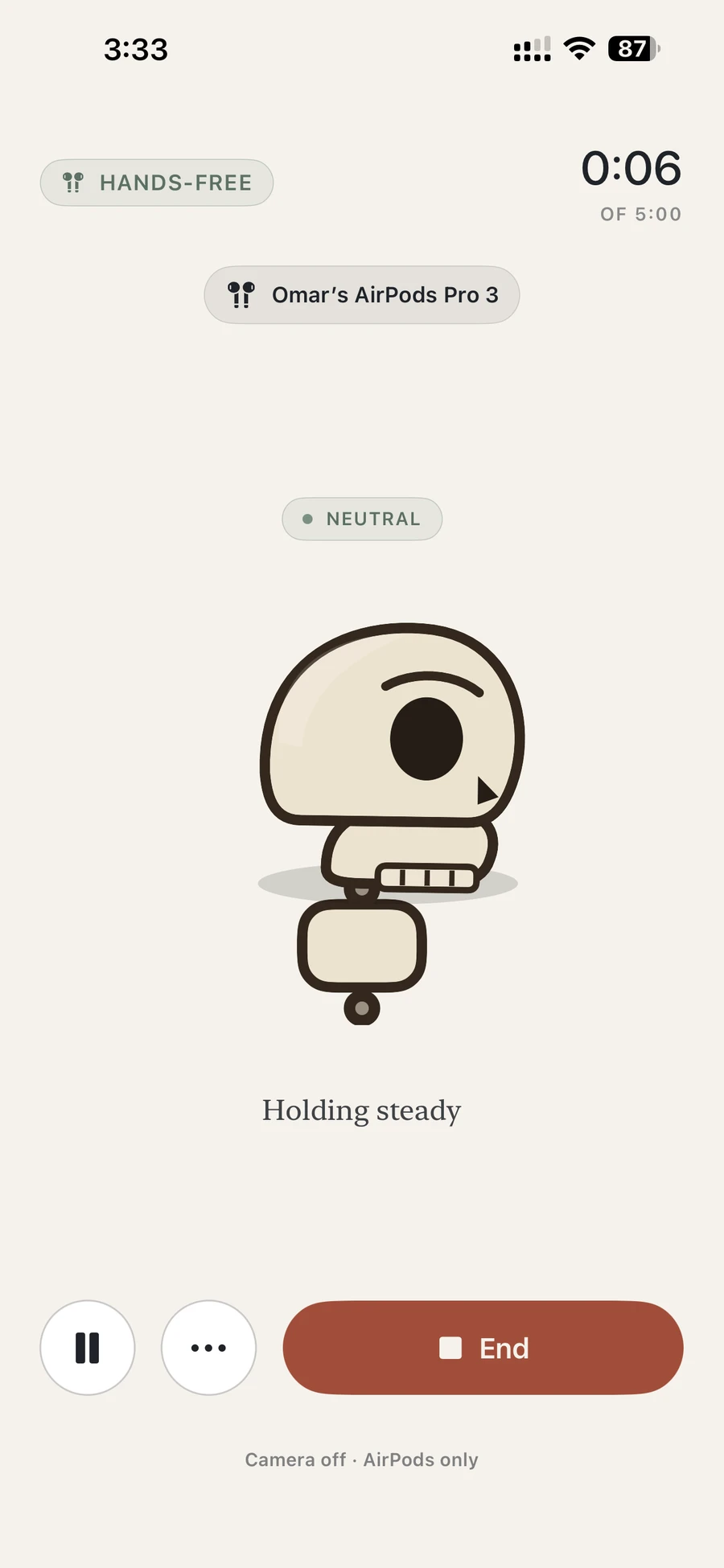
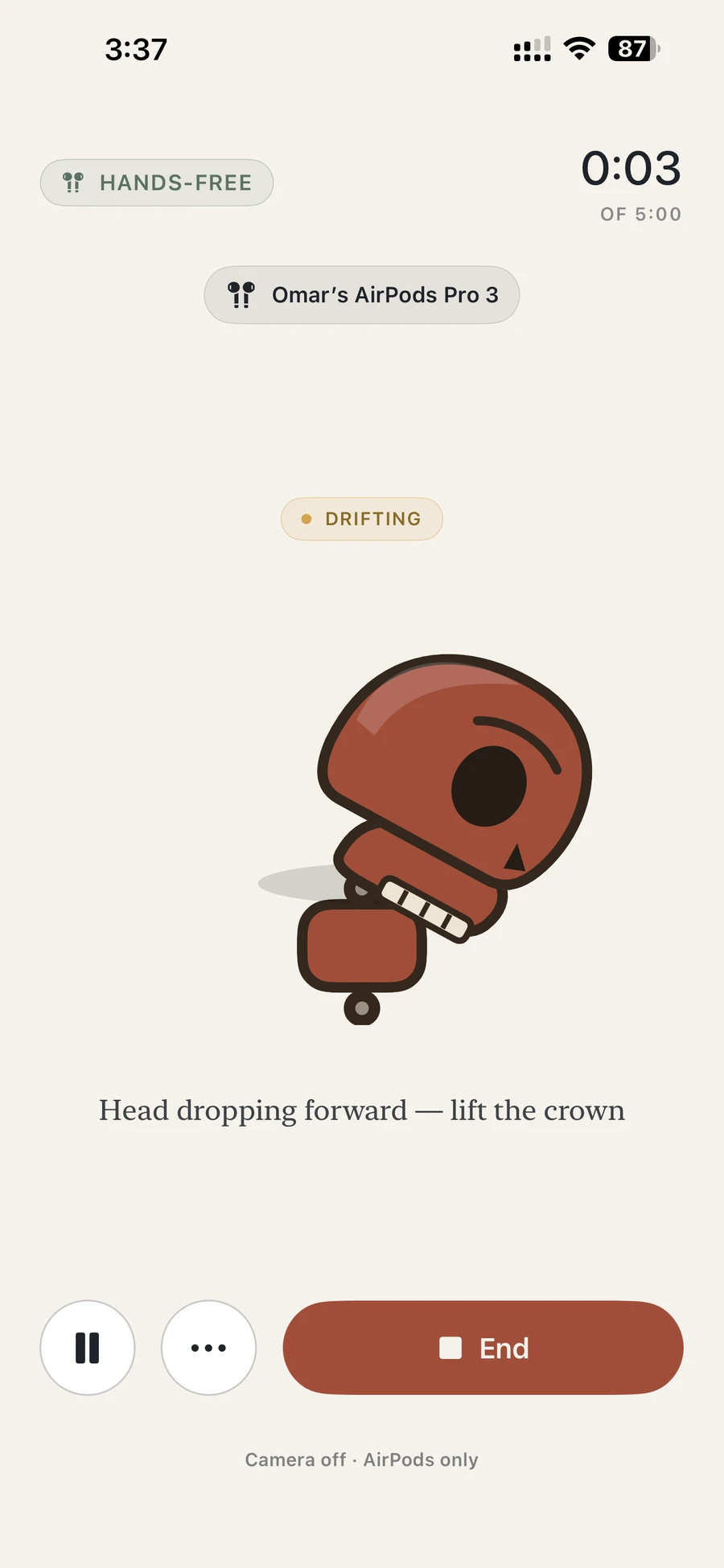
While a check runs, a small figure sits exactly how you’re sitting — it tilts as your chin drops and warms when you’ve held a slump. One glance and you know which way to ease.
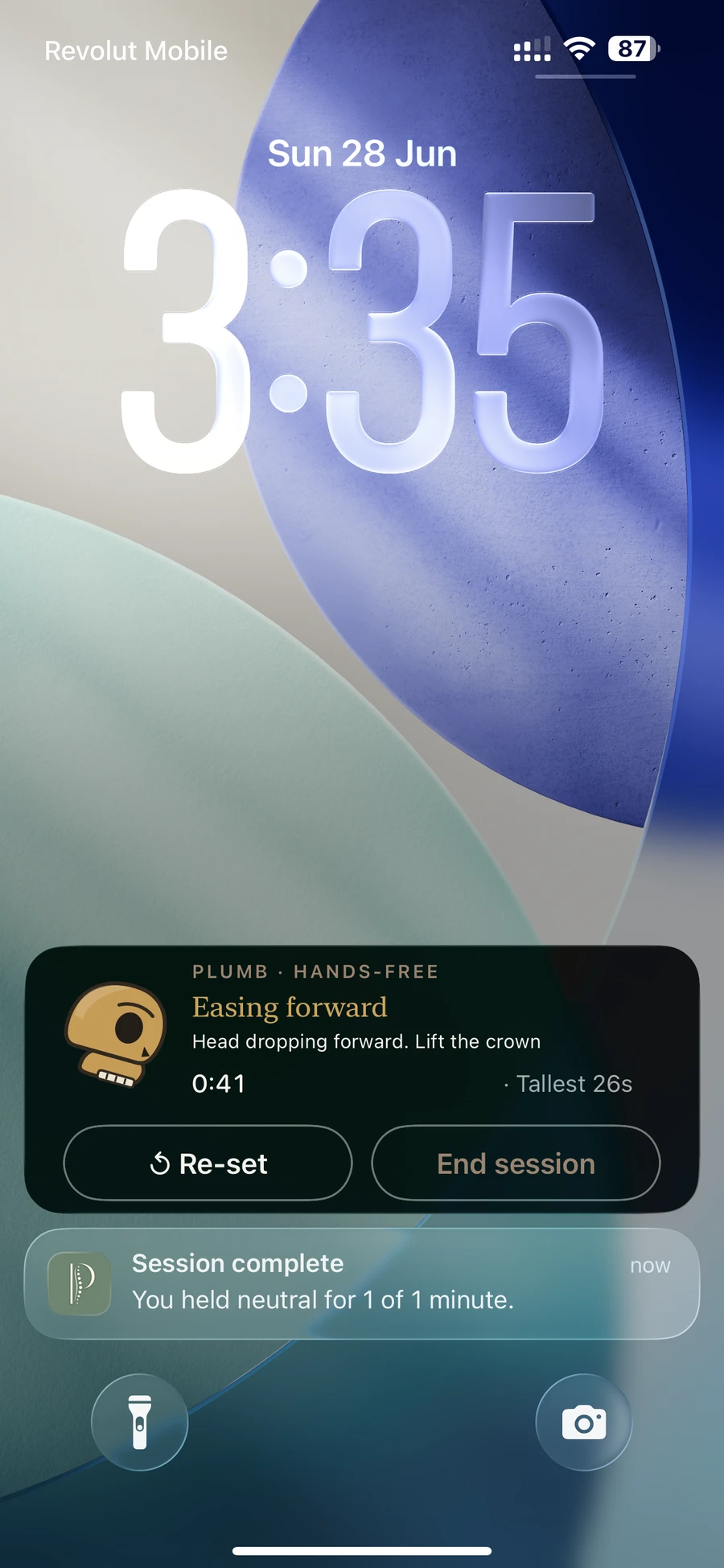
Two real moments, side by side: holding tall, then easing forward — the same figure, warming as your head drops.
Gentle by design
Slip past your own threshold and Plumb lets you know — a soft tone in your AirPods, a tap, or both. It gets a touch more insistent on a long slump and stops the moment you ease back. Small movements and breathing inside a gentle neutral zone never count.
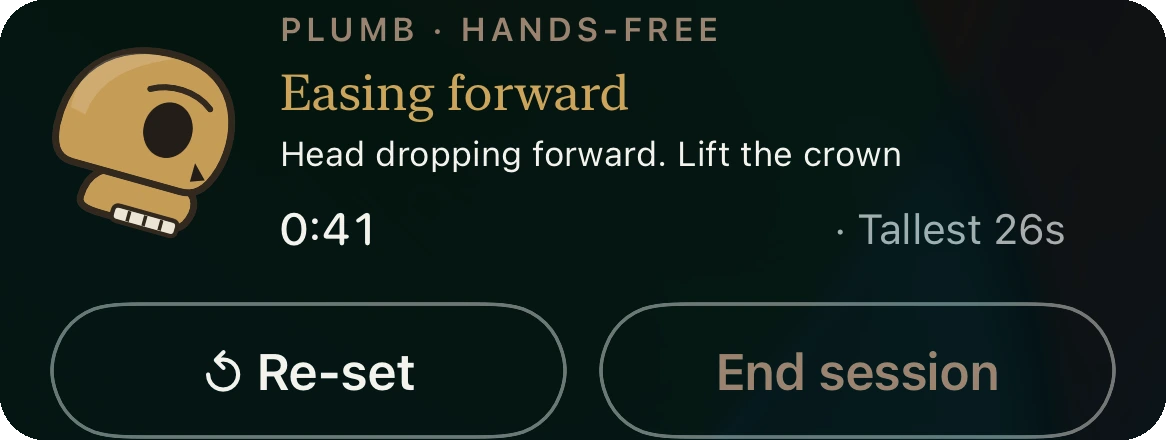
The Plumbline figure, a coaching word and your elapsed time — with a Stop button right there the moment you’re done.
Progress, honestly
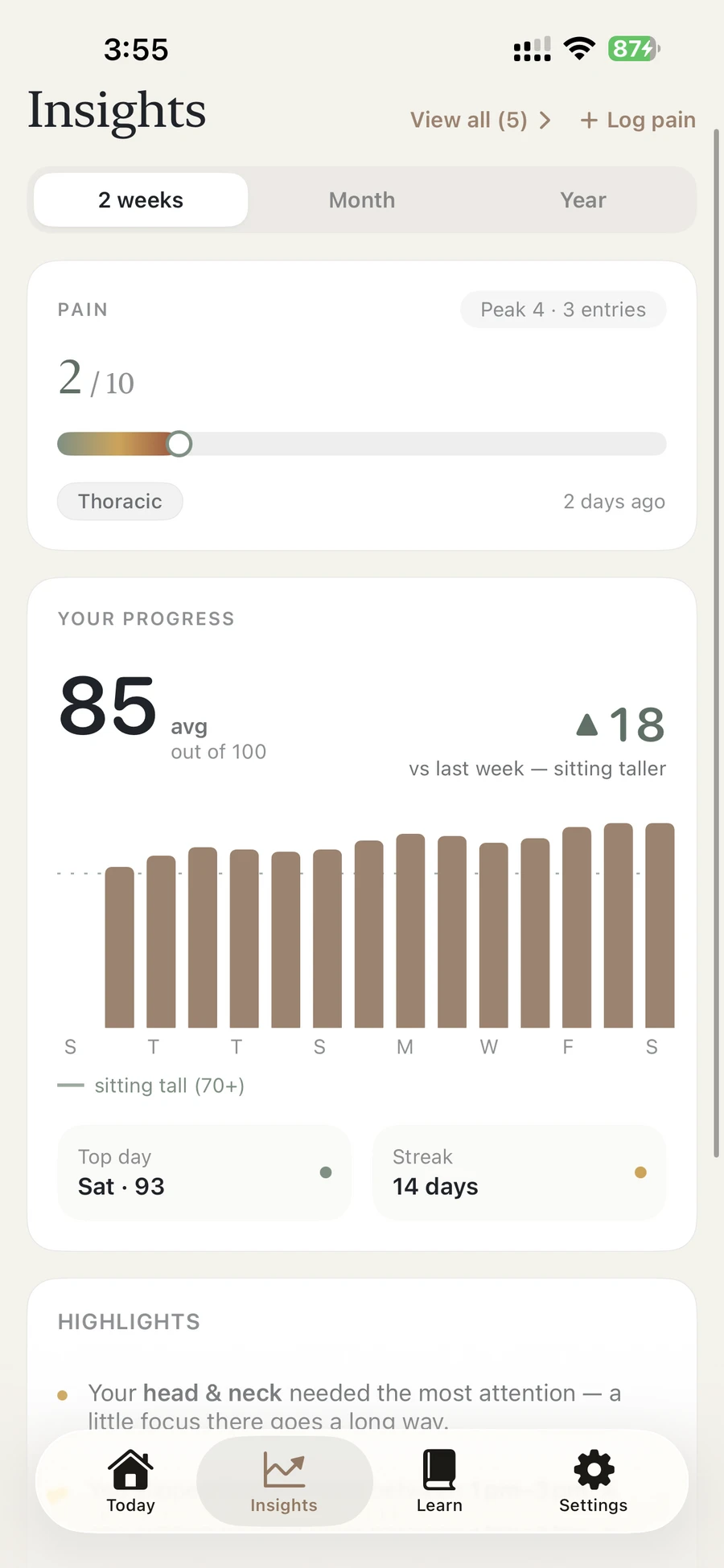
Your 0–100 score lives here. Insights leads with a big average and an honest, signed change — shown the moment there’s enough history to be fair about it. A true scale, and a trend you can trust.
Grounded, not gimmicky
Plumb ships a small Learn library on the biomechanics behind posture awareness, each source with its caveats stated plainly. They explain why noticing matters — they aren’t claims about Plumb itself.
Evidence
Intradiscal pressure, sitting versus standing.
The catch 1960s in-vivo work, replicated by Wilke in 1999. The curve holds; the exact numbers carry uncertainty.
Evidence
How neck load climbs as the head tilts forward.
The catch Hansraj 2014 is a mathematical model, not a direct measurement. We say so.
Technique
The creep phenomenon in viscoelastic tissue.
The catch Lab-instrumented spines; the direction translates, not a personal threshold.
Technique
Disc-friendly movement, explained simply.
The catch A physiotherapy method delivered by clinicians. Plumb is awareness, not treatment.
Clinic
How physios read posture against gravity.
The catch A reference for awareness, not a standard you must hit.
All six reads live in full in the Learn library — here and inside the app. Short, honest, no sign-up.
Get PlumbPrivacy isn’t a setting
Plumb was built on a simple stance: the most private thing about you — how you sit, breathe and move — shouldn’t be anyone else’s data. So it isn’t. There are no servers, because there’s nothing to send.
Camera frames and AirPods motion are processed in the moment and discarded — never saved, never shown back, never uploaded.
No sign-up, no email, no login. There’s nothing to create and nothing to leak.
No analytics, no data brokers, no third-party SDKs. Plumb’s Privacy Manifest declares zero tracking and zero data collection.
Turn it on if you want a backup — and it goes only to your own private iCloud, never a Plumb server. (Plumb has none.)
Plumb can log a Mindful Minute to Apple Health. It never reads anything from your Health data.
Clear your whole session history whenever you like, straight from Settings.
Protected by iOS’s built-in, device-level encryption. No special claims — just Apple’s defaults, kept local.
Read the full Privacy PolicyThe fastest way to lose your trust would be to overclaim. So here’s the plain version — the same caveats live inside the app.
Plumb builds posture awareness — it doesn’t diagnose, treat, or monitor any condition. For pain, numbness, or anything that worries you, see a clinician.
A front camera and AirPods read the head, neck and upper spine. The lumbar curve sits behind you. That’s honest hardware reality, and a future direction, not a judgement.
At a desk, the front lens reliably reads your head and a little of your upper spine. We show exactly that — a friendly figure, not a full-body scan.
Plumb doesn’t impose a textbook posture. You set your own comfortable tall at the start, and a check simply notices when you’ve eased away from it.
Simple pricing
Both modes — hands-free and camera — and a daily check-in are free, forever. Plumb+ adds unlimited, any-length checks, the hands-free Live Activity, full month & year Insights, and CSV/PDF export.
Everything you need to start noticing.
Try premium, no commitment.
The best value — under £0.77 a week.
Pay once. Yours for good.
Billing is handled securely by Apple through the App Store — no card details are ever stored on your device. The 7-day trial is on the Annual plan; trial eligibility is set by Apple. Cancel anytime in App Store → Subscriptions. Prices shown in GBP.
No. Both modes are free. Hands-free uses the motion sensors in compatible AirPods or Beats — it’s the main everyday mode — and camera mode works at your desk with just your iPhone.
Yes. Everything is analysed on your device — there are no Plumb servers, no account, no analytics and no trackers. Camera frames and AirPods motion are processed in the moment and discarded; only your scores and session summaries are saved, locally. iCloud sync is off by default and, if you turn it on, goes only to your own private iCloud .
No. Plumb is a wellness and posture-awareness tool. It doesn’t diagnose, treat, or monitor any medical condition. If you have pain, numbness, or anything that concerns you, please see a qualified clinician.
No — and we won’t pretend otherwise. A front-facing camera and AirPods can see your head, neck and upper spine. The lower back sits behind you; that’s a hardware gap we’re honest about, and a future direction for Plumb.
Motion-capable AirPods and Beats — for example AirPods Pro, AirPods (3rd generation), AirPods Max and Beats Fit Pro. Apple determines the exact set at runtime, so Plumb simply checks whether your headphones report motion.
Yes — that’s the point of hands-free mode. Plumb keeps tracking with your phone locked or in another app, and nudges you with a quiet tone through your AirPods. Plumb+ adds a glanceable Live Activity on your Lock Screen and Dynamic Island.
Yes, free forever: both modes, one check-in a day, your Today view, the full pain log, two-week Insights and the whole Learn library. Plumb+ adds unlimited check-ins of any length, the hands-free Live Activity, full month/year Insights, and CSV/PDF export.
Yes — Plumb is on the App Store. It’s free to start, with a gentle check every day; Plumb+ unlocks unlimited and longer checks, hands-free Live Activity, and more.
It’s here
Plumb is on the App Store — a calm, private nudge for your desk and your AirPods. Free to start, with a gentle check every day.
On-device. No account. Free to try.